
Optional website upgrades
Add the tools
your store will use.
Start with the website package that fits. Add help with customer questions or give your team a place to publish. The controls live in Roadside, our Web Operations Platform.
Explore the upgradesAn answer when the counter is busy.
Add an AI chatbot that uses your store’s information. Customers can ask about hours or a product after you’ve closed for the day.
In Roadside, review conversations and the questions people ask. Change the greeting or add a temporary store note. Turn the assistant off when you need to.
$10/month for Basic or Ecommerce. Includes 1 million tokens per day; overage is $5 per additional million. Grow includes a chatbot with 5 million tokens per day.
Ask about AI chatbot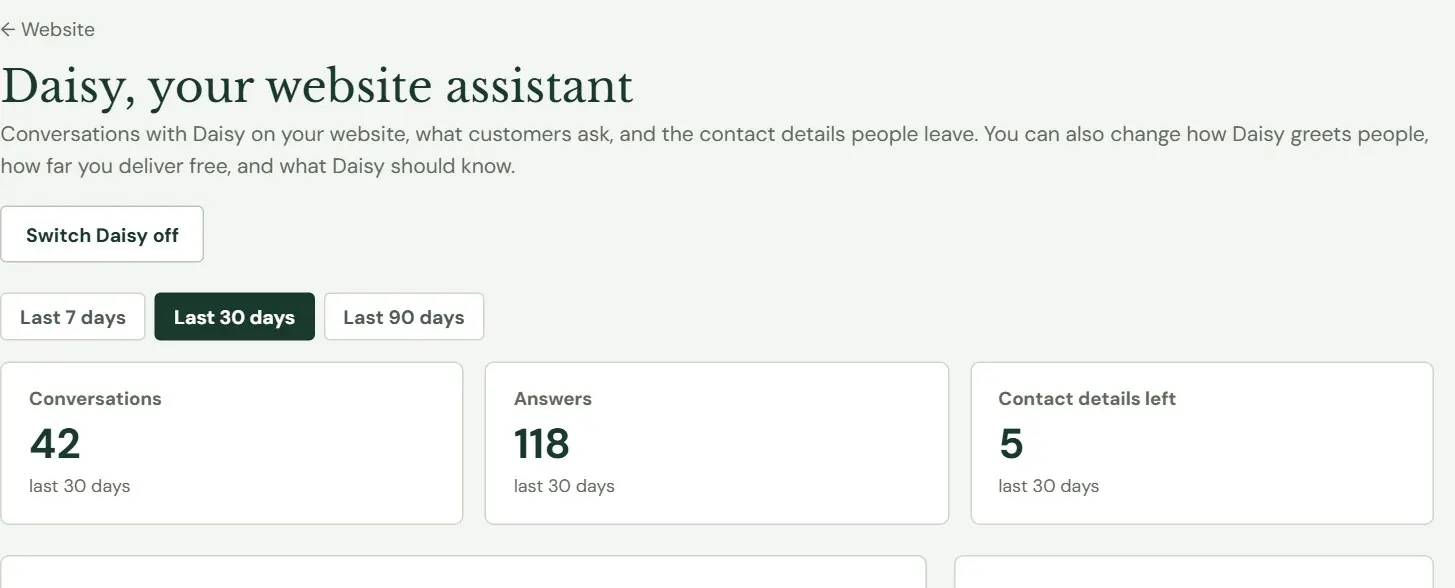
Start a product page with the maker’s information.
Fetch with AI helps build your Ecommerce catalog. Give it a manufacturer’s product-page address. It drafts the description and feed-label information, along with other product details it can find.
Check the draft against the source and the bag you sell. Nothing is saved to the product until you choose Add product or Save product.
Ask about Fetch with AI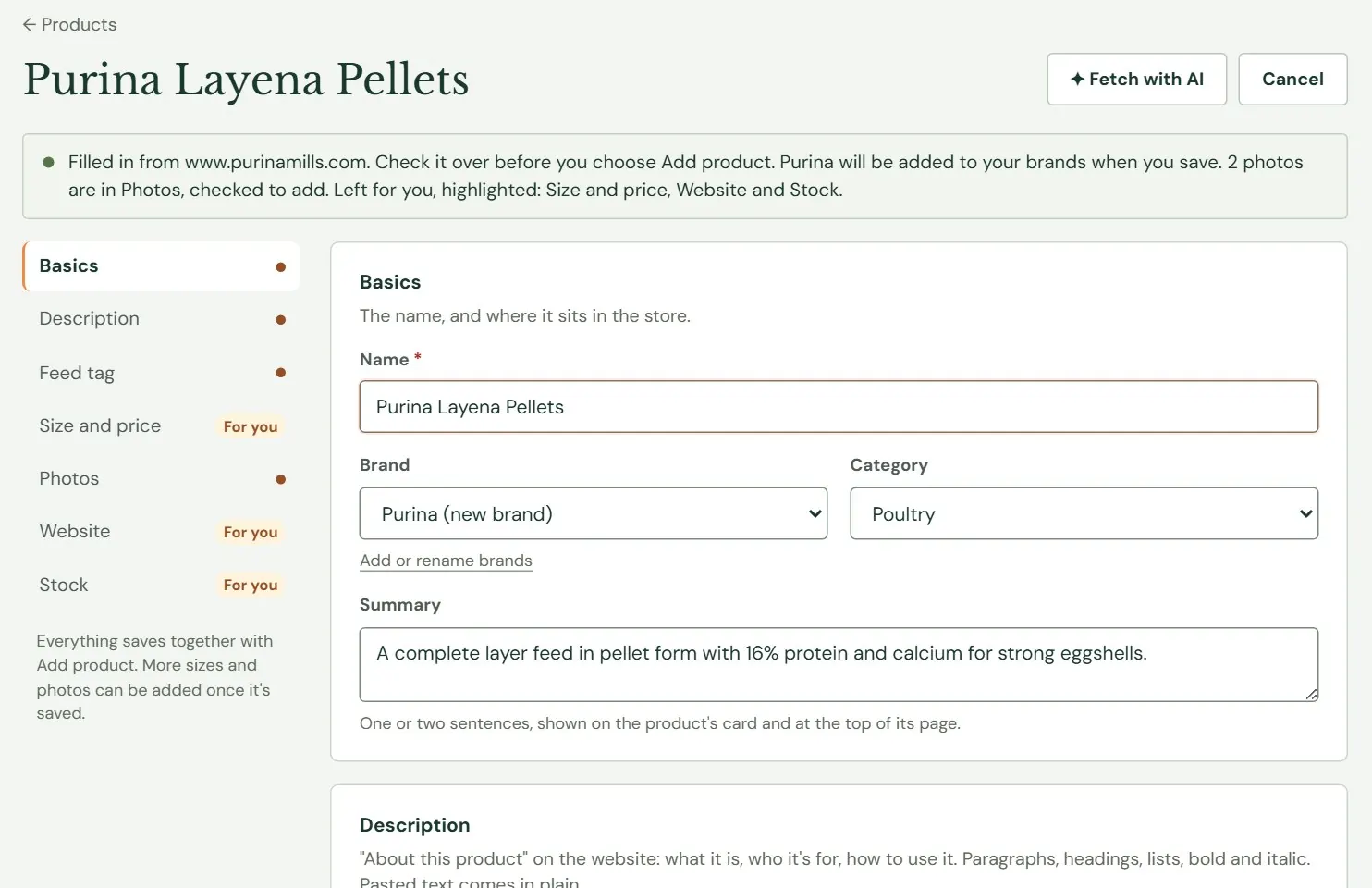
Write the store news yourself.
Use Roadside’s blog tools for a Chick Days announcement or feeding advice from your team. Add photos and format the article without changing the site’s design.
Work in a saved draft and preview the page before publishing. Schedule it for later in your store’s time zone. Categories and revisions help keep the writing organized.
Ask about Blog tools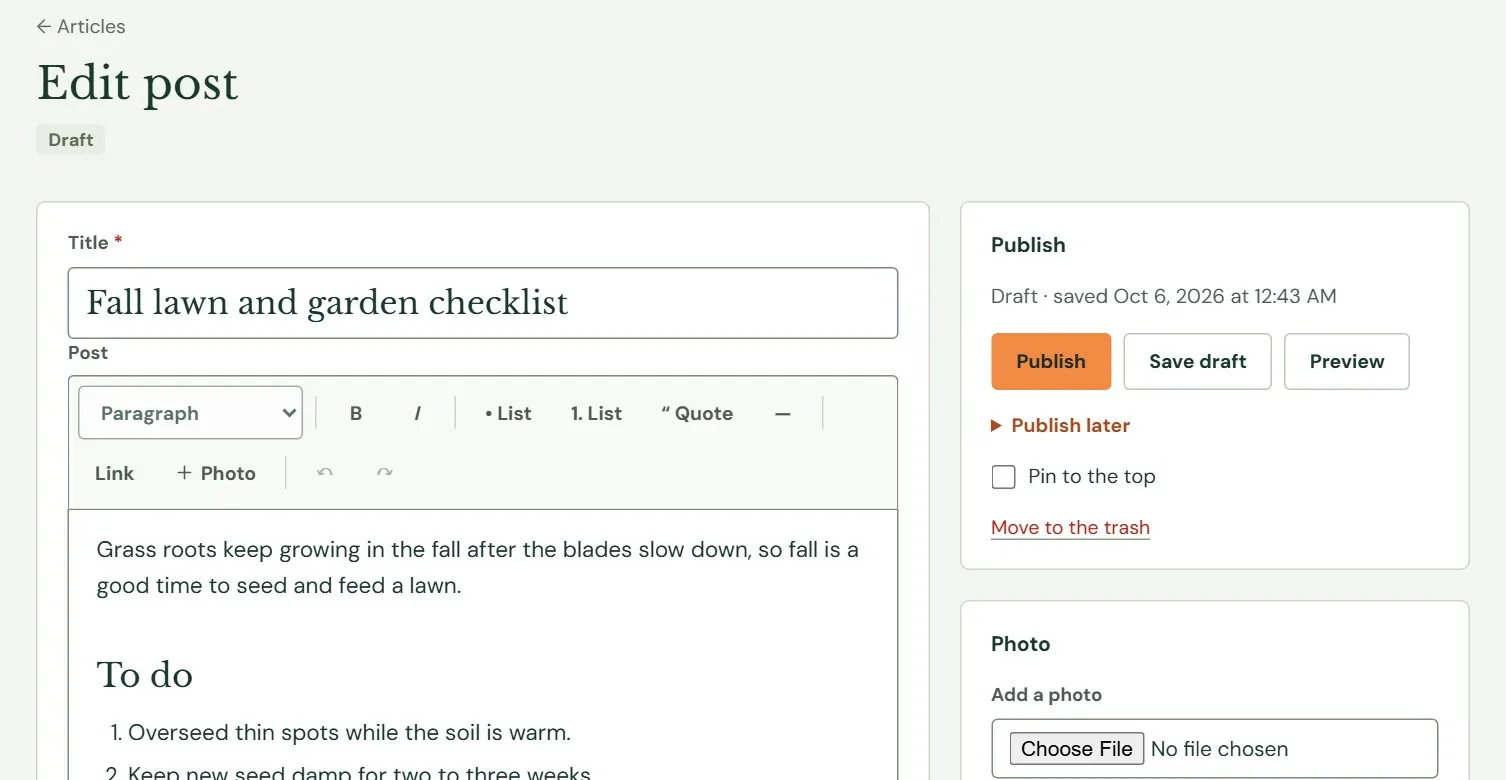
Keep useful articles on the calendar.
The SEO Articles upgrade writes and publishes articles around local search topics, using your store’s products and current information. Each article includes a photo. This is separate from Grow’s monthly SEO analysis and report.
Choose monthly, weekly or twice-weekly publishing. See the topics waiting, move one to the front or set it aside. Specify the towns you serve and topics to avoid. Pause the schedule from Roadside whenever you need to.
Ask about SEO articles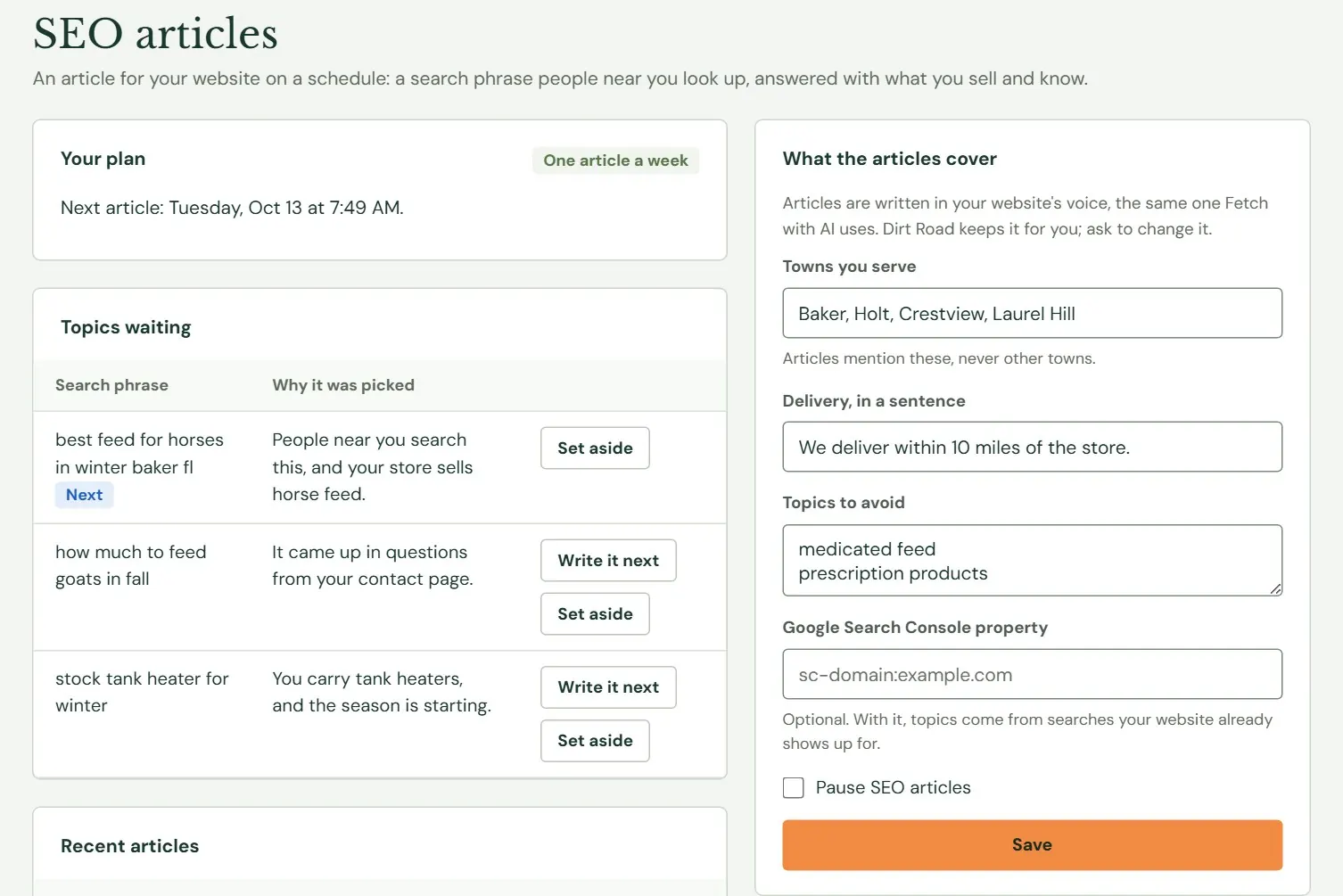
Keep the people who asked to hear from you.
Add an email sign-up form and manage subscribers in Roadside. Confirm new sign-ups by email and organize people with tags. You can bring over an existing permission-based list.
Export the people you want to reach as a CSV file for your email service. Roadside keeps the list and consent records. Newsletters are sent through the service you use.
Ask about Email list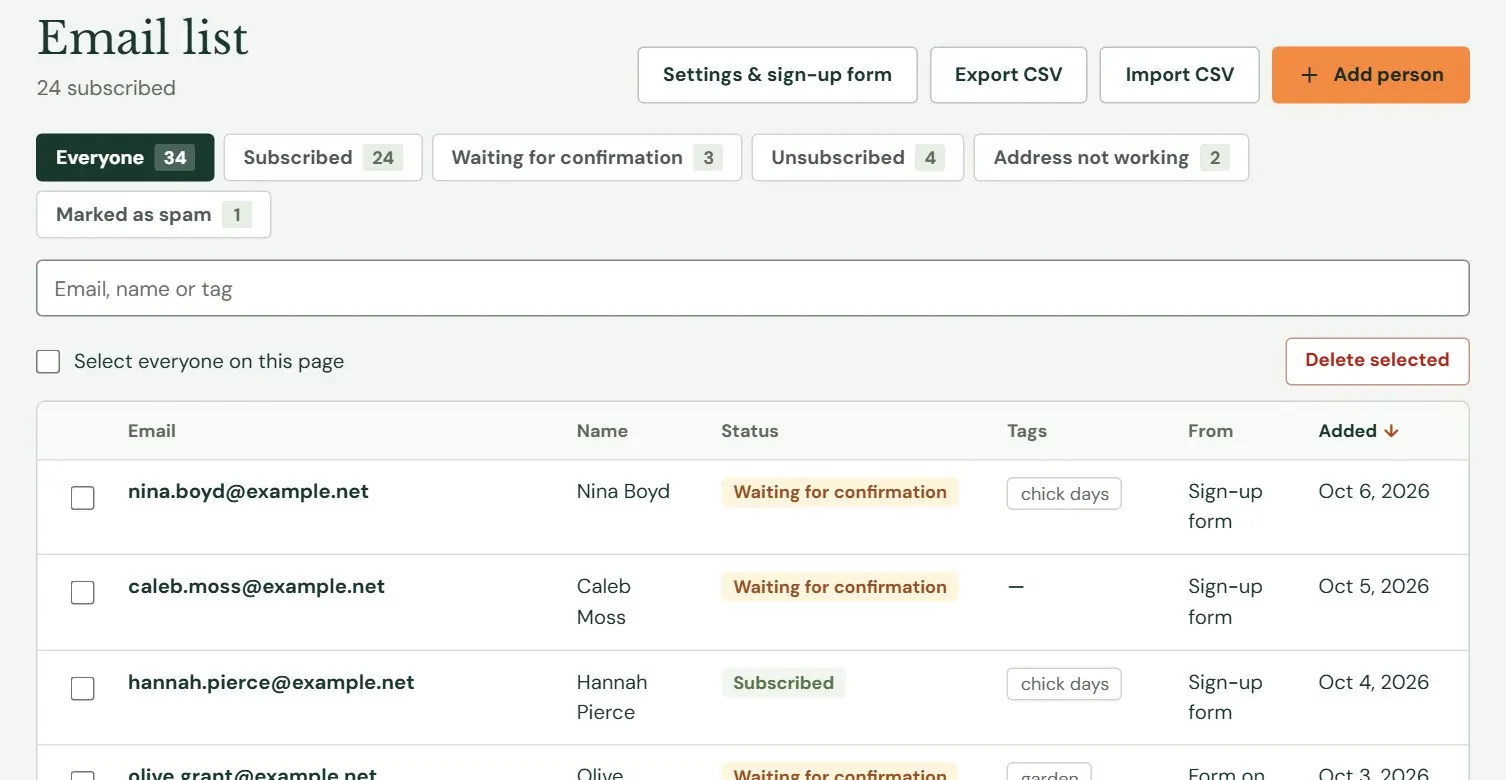
Tell us where the work piles up.
We’ll help you choose the useful additions and quote the setup for your store. Blog and SEO article tools are separate options. You can write your own posts, use scheduled articles, or combine them.
Talk About Your Website