
37
Ask Dirt Road for help
Tell Dirt Road which screen you opened and what you were trying to do. Your question and the replies stay together in a Support ticket.
Send a question about Roadside
Where to find itStore account›Support›New ticketStore owner, Manager
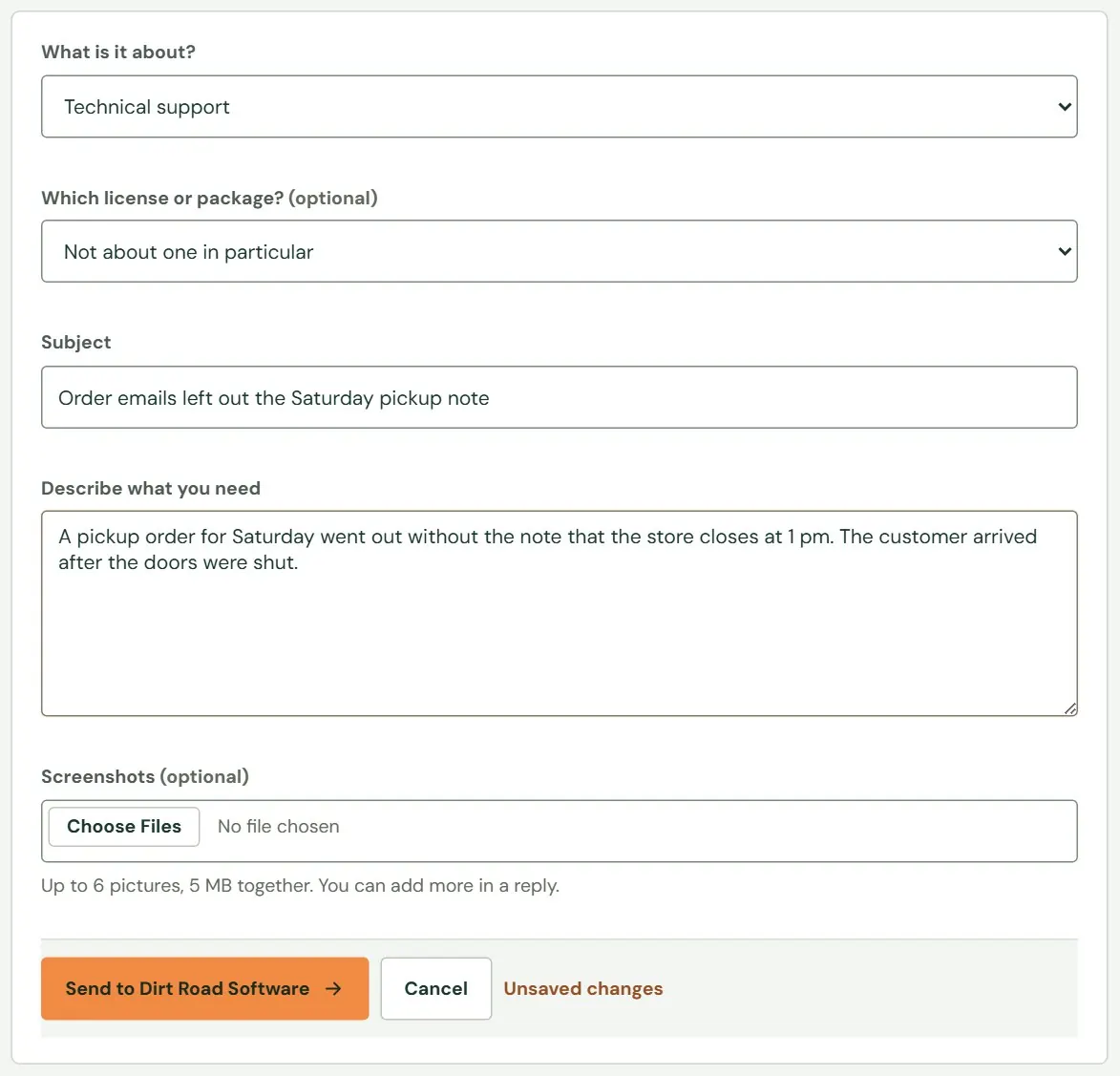
- 1Choose the topic for this question.
- 2Name the problem in a few words.
- 3Say what happened at the store.
- 4Attach a picture if it will help.
- 5Send the ticket to Dirt Road Software.
- For a website page edit, use Send the words or photo for one page, in Chapter 35. For help with Roadside, open Support and press New ticket. Choose a topic under What is it about?. Use Technical support for a problem like order emails missing the Saturday pickup note.
- Use Which license or package? (optional) if the question concerns one in particular. Give the ticket a short Subject.
- In Describe what you need, name the screen, what you tried, what you expected and what happened. Leave customer numbers, payment details, passwords and private sign-in links out of the message and pictures.
- Use Screenshots (optional) to add a picture of what you saw. You can attach up to 6 pictures, 5 MB together. If they do not all fit, send fewer or smaller pictures and add more in a reply.
- Press Send to Dirt Road Software. Find the ticket under Open on the Support screen.
Read a reply and close a solved ticket
Where to find itStore account›SupportStore owner, Manager
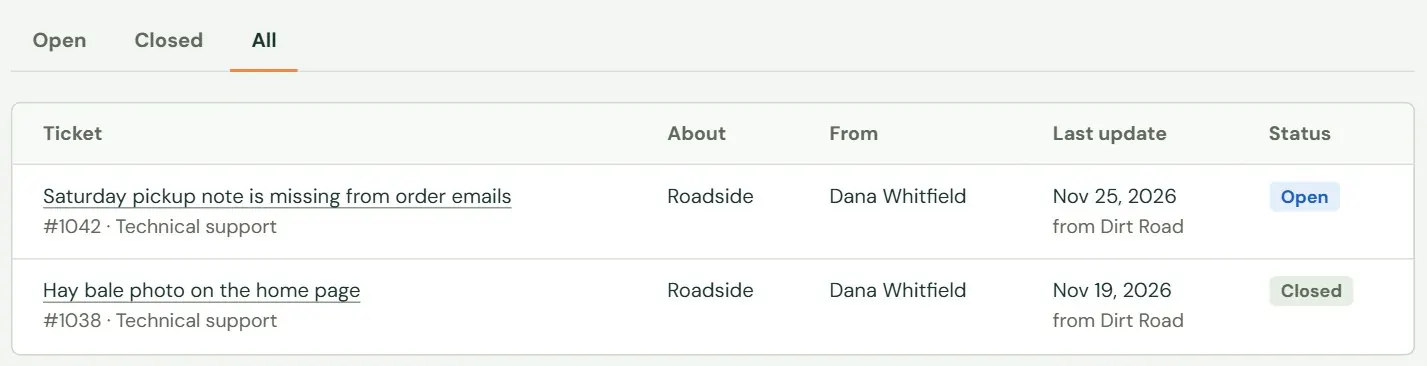
- 1Find tickets still open.
- 2Find tickets that have been closed.
- 3Show every ticket in the same list.
- 4Read when the last message arrived and who sent it.
- Choose Open to find a ticket that still needs an answer. If it is missing, try All. Read Last update for the date and whether the last message was from Dirt Road or from you.
- Press the ticket’s subject. Read the messages, type your answer under Reply and attach a screenshot if it helps. Press Send. Your reply stays with the ticket.
- When the problem is solved, press Close my ticket, it's sorted. Find it under Closed. If the same problem comes back, open that ticket, reply under Need more help? and press Send. That reopens it with the earlier messages.
On the Support list, look under Ticket emails. Press Stop my ticket emails to turn them off, or Email me when Dirt Road replies to turn them on. Replies still appear on the ticket either way.
Something here does not match your screen? Write to support@dirtroadsoftware.com with the name of the screen, what you pressed and what you expected. A picture of the screen helps.